Ignition remote access gets complicated when every user is treated the same. Operators checking dashboards, integrators opening the Designer, and vendors on short support windows do not need the same path. When teams ignore that, they usually end up with either a port forwarding or a broad VPN.
Ignition remote access needs two access models
Before looking at the access methods, it helps to define the types of access teams are usually trying to support.
Some users only need dashboards, alarms, reports, and other browser-based tools. That is an application-access problem.
Other users need access to the Designer or administrative functions. That is a private-connectivity problem.
Because these workflows have different requirements, they should be handled differently.
How teams usually solve Ignition remote access
Teams usually default to two methods: opening a port or using a VPN. Both can provide remote access, but both come with trade-offs.
Opening a port is straightforward from a networking perspective. The user reaches the application through an IP address and port, but that also creates a standing path from the internet to the application.
A VPN is often a better alternative than opening a port because the user must authenticate before joining the remote network, and traffic between the user device and the remote environment is encrypted.
Why open ports and broad VPNs break down
Open ports may provide quick access, but they also create a direct inbound path from the internet to the Gateway. That increases exposure, adds operational overhead, and often leaves a sensitive application reachable in a way it was not designed for.
VPNs reduce that exposure, but they bring their own complexity. User access has to be distributed and managed, revocation has to be handled cleanly, and many VPNs grant far broader network access than most users actually need.
That matters in Ignition because the Gateway sits in front of projects, devices, data, and administrative control. In both cases, the result is usually more reach than the task calls for.
How to provide Ignition remote access without open ports
A cleaner approach is to establish an outbound connection from the environment where Ignition is hosted and put the Gateway behind an authenticated access layer. That allows browser-based access without directly exposing the private environment to the internet, while ensuring users authenticate before they reach the interface.
Users who need the Designer or administrative access can still be given private connectivity, but with tighter policy enforcement than a traditional VPN, limiting access to the specific hosts and ideally the specific ports they actually need.
Reference architecture for Ignition remote access
A practical deployment looks like this:
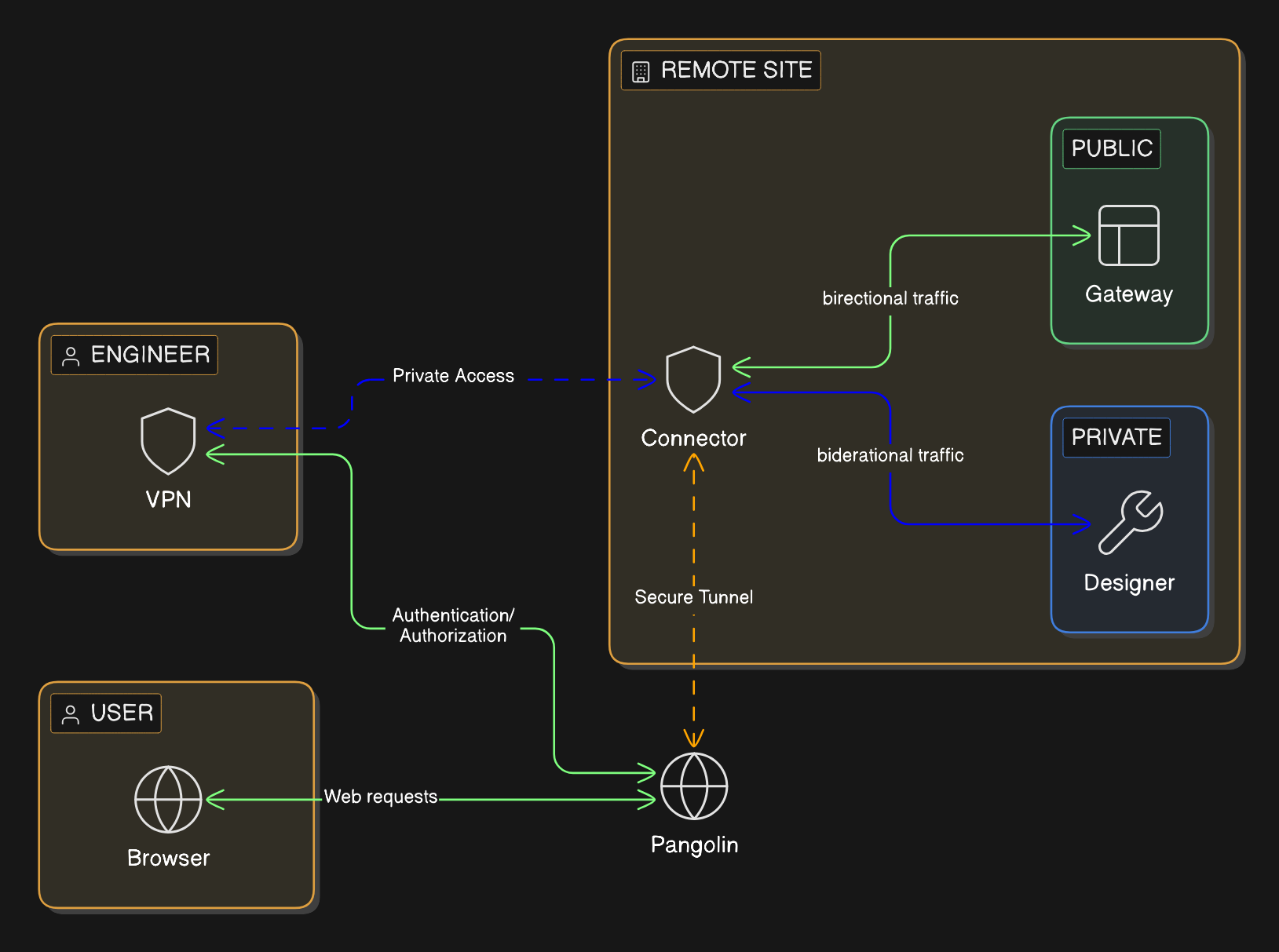
The Ignition Gateway remains on a private network with no public inbound exposure. No publically open ports.
An outbound only connector establishes the private path from the building’s network, rather than relying on inbound internet access.
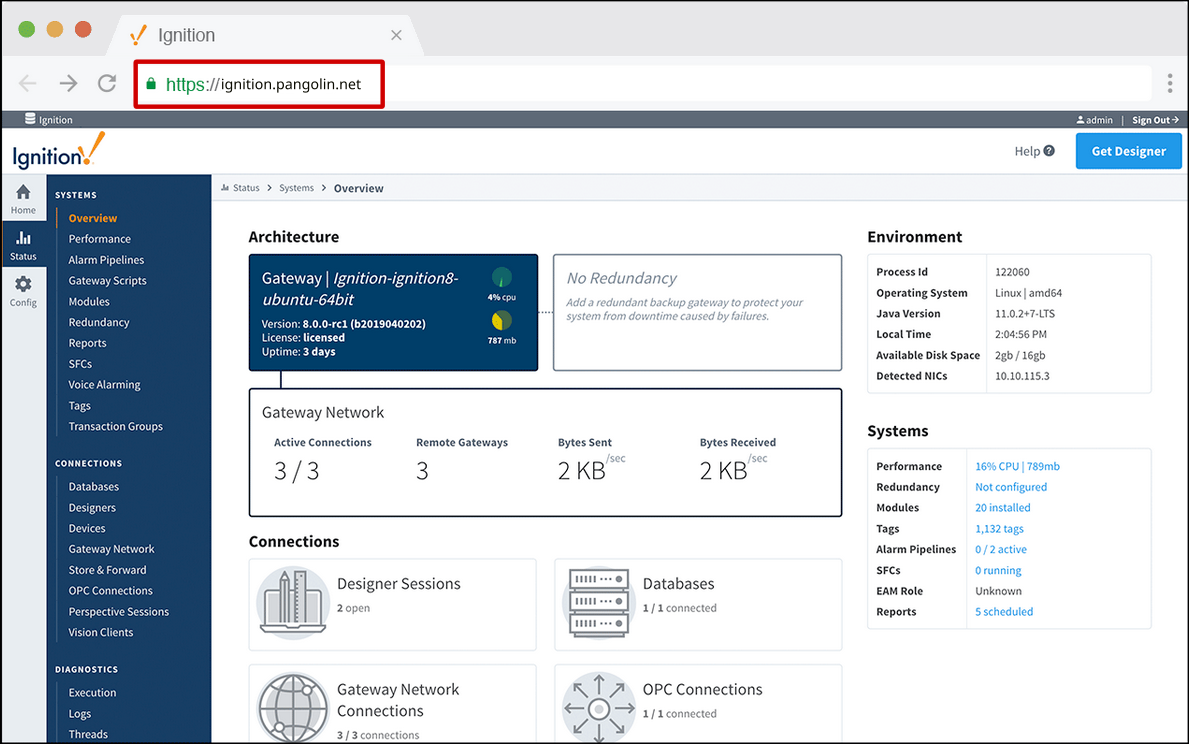
The Gateway is published with a domain name and HTTPS through an authenticated access portal that proxies traffic to the application port.
Users who only need browser access are given that path and nothing broader. They don’t have to install client-side software.
Users who need direct connections to the network are given authenticated connectivity only to the exact hosts they require. They aren’t given access to the entire network unless you give explicit permission.
Every instance of access is tied back to a user’s identity for better control, auditability, and maintainability. Contractor access remains narrow and time-bounded rather than becoming a permanent network entitlement. It becomes easy to manage users, network resources, and access controls in a single pane of glass.
How Pangolin improves Ignition remote access
For browser-based access, Pangolin can publish Ignition through Public Resources. Users connect through a managed hostname over HTTPS/TLS, authentication happens first, and the Gateway stays private. Browser-only users do not need client-side VPN software.
For the Designer and other workflows that require direct connections to systems, Pangolin can provide Private Resources. Users authenticate with their identity and get direct connections to systems on the network only when they need it. Access is scoped directly to specific IPs and ports. That keeps access tied to the job instead of inheriting broad network reach.
That gives teams a cleaner access model:
browser users get the Ignition interface they need without exposing the Gateway
engineers get the direct path they need without making broad access the default
vendors get narrower, time-bounded access without becoming standing network users
Pangolin is not an Ignition management platform. It is the access layer around the environment.
Conclusion
Most Ignition remote-access problems are scope problems. Keep the Gateway private, publish browser access through an authenticated front door, and reserve direct, VPN-like connectivity for the smaller group that actually needs it and ensure it’s scoped to specific network resources.
FAQ
Can you provide Ignition remote access without opening inbound ports?
Yes. Keep Ignition on private networks, publish browser access through an authenticated layer with a managed hostname and HTTPS/TLS, and use private, VPN-like connectivity only for deeper workflows that require direct connectivity.
Is a VPN still useful for the Ignition Designer?
Sometimes. Some engineering workflows still need private connectivity. The mistake is making that the default for everyone.
What is the safer way to expose Ignition remotely?
Do not expose the Gateway directly. Keep it private and put an authenticated front door in front of it so identity is checked before traffic reaches Ignition.
Should browser-based Ignition access and Designer access use the same remote-access method?
Usually no. They are different workflows with different connectivity and risk requirements.
Where does Pangolin help in this architecture?
Pangolin can protect private browser-based Ignition access behind an authenticated HTTPS/TLS front door and provide narrower private access for engineering workflows.
About Pangolin
Pangolin is an open-source infrastructure company that provides secure, zero trust remote access for teams of all sizes. Built to simplify user workflows and protect critical systems, Pangolin helps companies and individuals connect to their networks, applications, and devices safely without relying on traditional VPNs. With a focus on device security, usability, and transparency, Pangolin empowers organizations to manage access efficiently while keeping their infrastructure secure.