Remote access requests in PLC/SCADA environments usually start the same way: someone needs a dashboard, historian, engineering workstation, or PLC from outside the site. Most teams answer with port forwarding or a VPN. Both can get someone connected. Both leave behind tradeoffs that outlast the original access request.
PLC/SCADA remote access needs two access models
One group of users only needs the SCADA application. They want dashboards, alarms, trends, historian data, or routine system visibility. In many cases, the SCADA interface or web HMI is enough. These users usually should not need client-side software just to open a browser and sign in.
Another group needs deeper reach into the environment. Control engineers, integrators, and vendors may need PLC programming tools, engineering workstations, OPC services, or other systems on the OT network. Those workflows are not the same as routine interface access, so they should not share the same path.
How teams usually solve PLC/SCADA remote access
Most teams do not separate those access needs at the beginning. One remote-access method gets picked and then stretched across both models.
The first move is often a firewall rule and port forward to the SCADA gateway, engineering workstation, or another target. It is familiar, direct, and usually the fastest way to make something reachable, especially when the immediate goal is simply to get a screen or service working from outside the site. In practice, that means users anywhere on the internet connect to <your-public-ip>:<inbound-port> to reach the downstream system.
The second option is usually a VPN. Instead of publishing the application or device itself, the user joins the remote network with VPN software first and then reaches the SCADA system, workstation, or PLC environment from inside that connection. It is safer than direct exposure because the user has to authenticate before they can reach the network, and it feels like a more complete answer when teams know some users will need more than a web interface.
Why port forwarding and VPNs are a poor fit
Port forwarding solves reachability, but it leaves behind public exposure and operational overhead. You need inbound firewall rules and a public IP. You create a standing path from the internet to a SCADA service, gateway, or adjacent industrial system that usually was not meant to be publicly reachable. You also leave users managing raw IP-and-port combinations when a managed hostname and HTTPS would be cleaner for the web-facing part of the environment.
VPNs remove some of that public exposure, but they introduce a different set of problems. Client rollout, certificates or keys, revocation, and contractor offboarding all become part of the day-to-day burden. They also tend to grant broad network reach by default, which means a user who only needs one application, one workstation, or a short support session often gets more access than the task requires.
How to provide PLC/SCADA remote access without open ports
A better design starts with an outbound connection from inside the industrial environment and separates the browser workflow from the engineering workflow. Publish the SCADA interface behind an authenticated access layer so users sign in before requests ever reach the backend. That gives users browser-based access without directly exposing the industrial environment to the internet.
For PLC programming, engineering tools, vendor support, and other non-browser work, provide private connectivity only to the hosts and ports involved. That preserves the deeper path when it is genuinely needed without making it the default for everyone else. The goal is not to remove deeper access entirely. It is to stop granting full-network reach when a user only needs one workstation, one PLC, or a small set of approved systems.
Reference architecture for PLC/SCADA remote access
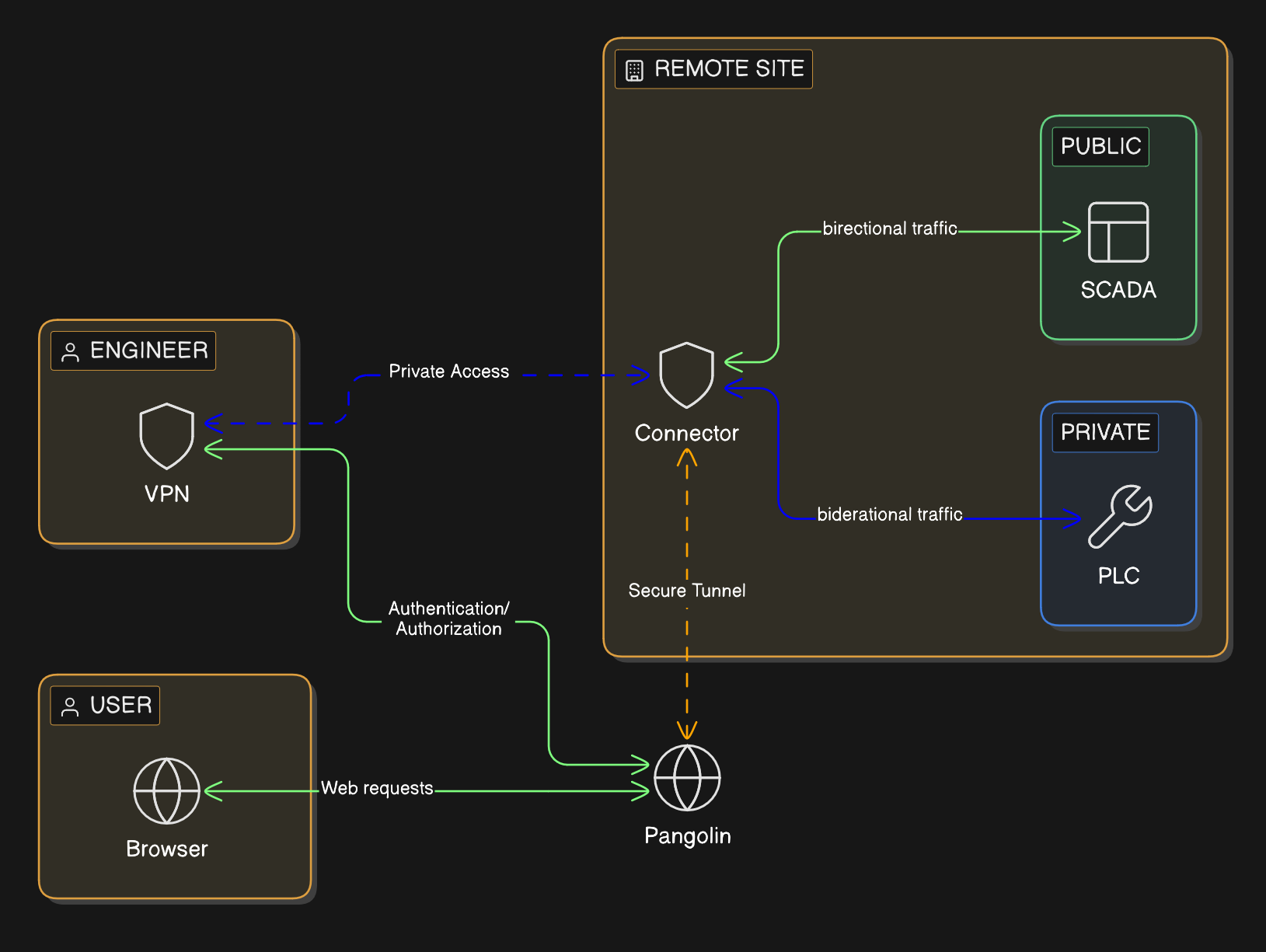
A practical deployment looks like this:
SCADA gateways, historians, PLCs, and related services stay on private address space with no public inbound exposure.
A connector or tunnel originates outbound from the site instead of waiting for inbound internet traffic.
The SCADA interface is published through an authenticated portal with a domain name and HTTPS.
Users who only need dashboards or HMIs get application-level access and do not need client-side VPN software.
Engineers, integrators, and vendors get authenticated private connectivity only to the hosts and ports involved in their work.
Every access path ties back to user identity, which makes review, audit, and temporary third-party access easier to manage.
This is closer to how industrial teams actually operate. The plant manager, operator, controls engineer, and vendor do not need the same path, so the architecture should stop treating them as if they do.
Where Pangolin fits
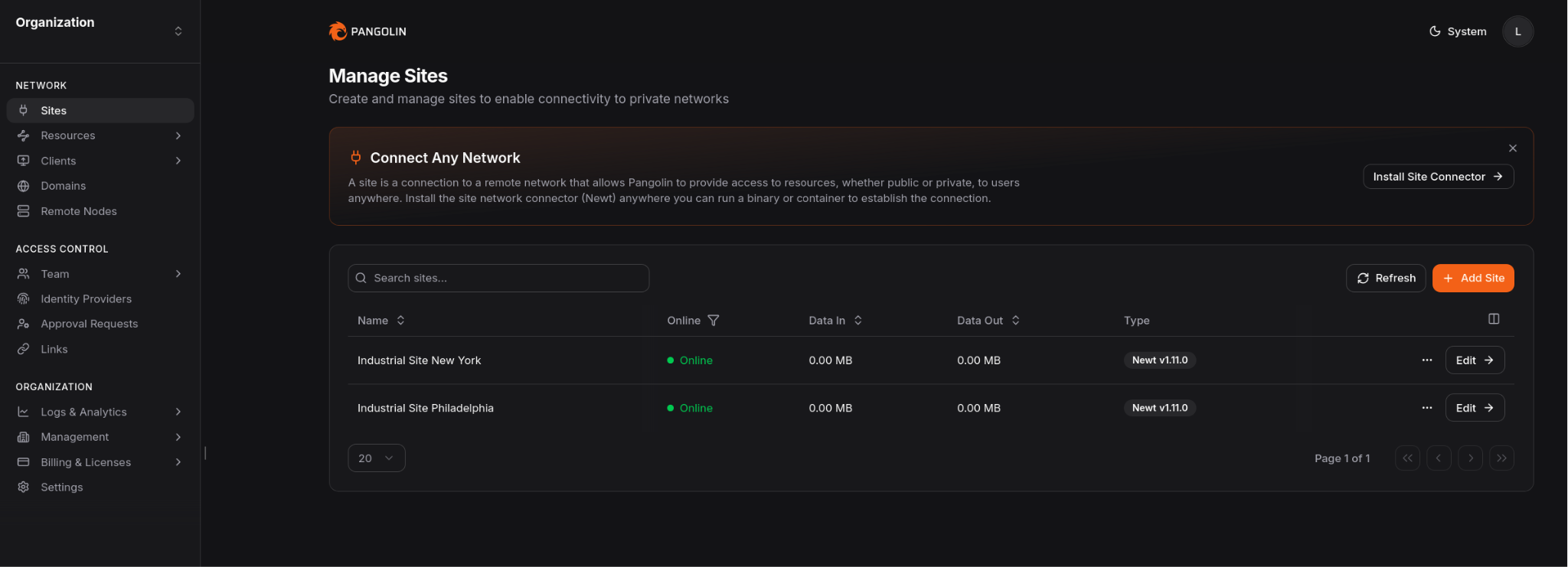
Pangolin can support both sides of that model. In Pangolin, you define a site for the remote industrial network and install a connector on a Windows or Linux system inside that environment.
That connector establishes the outbound path for both browser access to private applications and narrower private access when direct network reach is required.
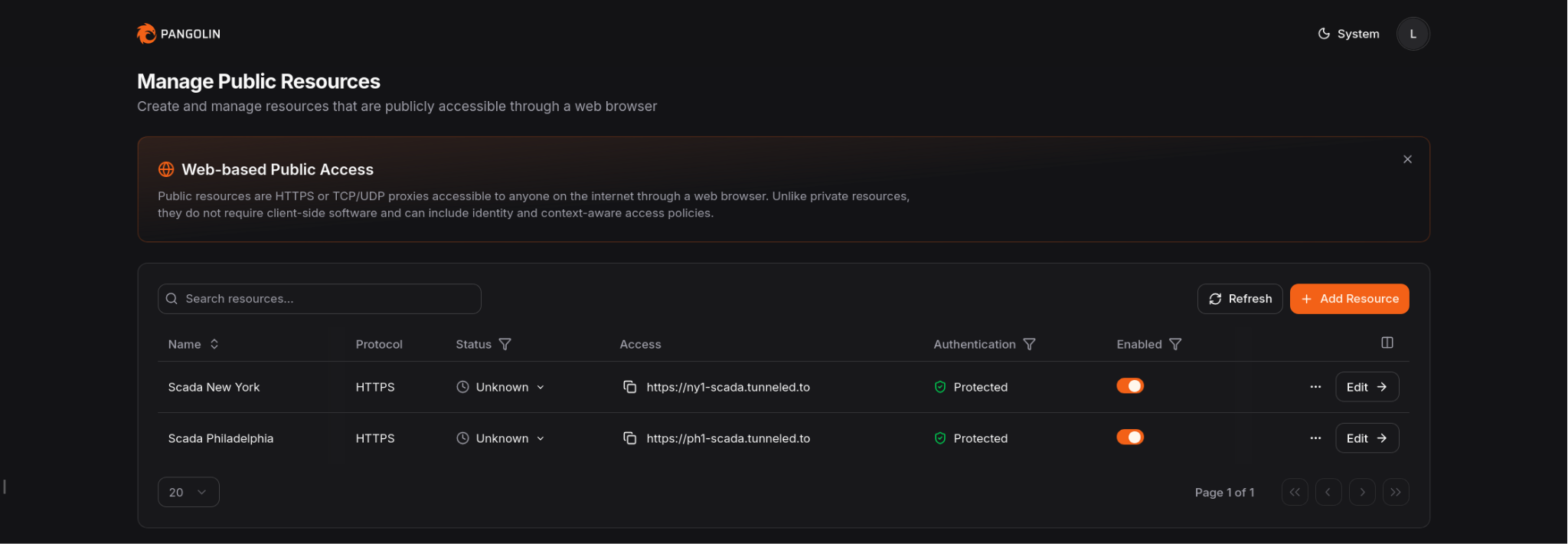
Pangolin can enforce an authenticated access layer in front of private web applications using Public Resources. Users connect through a managed domain over HTTPS, authenticate first, and then reach the backend service. That means routine users can reach the SCADA interface they need without exposing the origin or installing client-side VPN software.
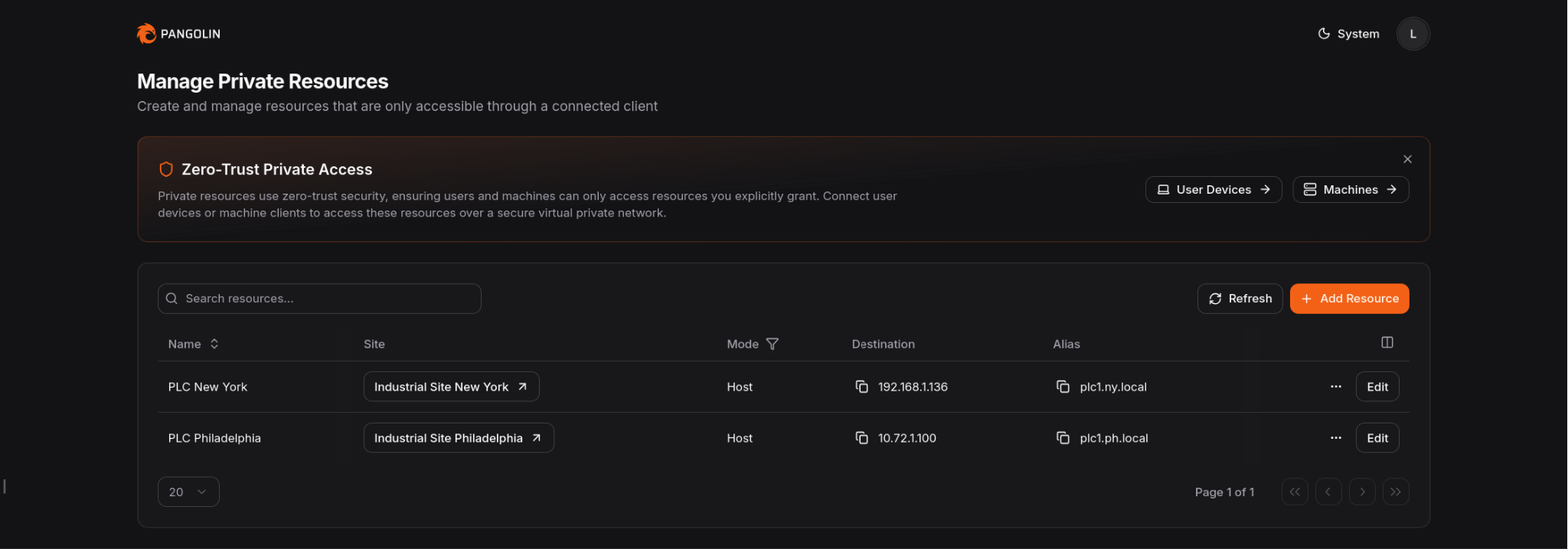
When the job requires deeper OT access, Pangolin can provide Private Resources for specific hosts, subnets, and ports. Users authenticate with their identity and use client software only when that deeper path is required. Admins can keep access narrow instead of dropping users onto the full network.
The result is a narrower access model: browser access for routine SCADA work, resource-scoped private access for controls and vendor workflows, and fewer reasons to keep inbound ports or broad VPN access around.
Conclusion
Most PLC/SCADA remote access issues are really access-design issues. The challenge is not just getting people connected. It is deciding what each person should be allowed to reach while keeping the rest of the environment private.
Split SCADA access from engineering access. Keep the industrial environment off the public internet. Put the SCADA interface behind an authenticated front door. Reserve direct connectivity for the smaller set of users and tools that actually need it.
That is a cleaner way to handle remote PLC/SCADA access without relying on open ports.
FAQ
Can you provide PLC/SCADA remote access without opening inbound ports?
Yes. Keep SCADA systems, PLCs, and related services on private networks. Publish the SCADA interface through an authenticated access layer, and use narrower private connectivity only for the workflows that need it.
Is a VPN still useful for PLC access?
Sometimes. Some engineering workflows still need private connectivity. The point is to stop making that the default for every remote user.
What is the safer way to expose a SCADA interface remotely?
Do not expose it directly. Keep it private and put an authenticated front door in front of it so identity is checked before traffic reaches the backend.
Should the SCADA application and PLC access use the same remote-access method?
Usually no. They are different workflows with different risk and connectivity requirements.
Where does Pangolin help in this architecture?
Pangolin can protect the private SCADA application behind an authenticated access layer and provide narrower private access for PLCs, engineering tools, and other internal industrial systems.
About Pangolin
Pangolin is an open-source infrastructure company that provides secure, zero trust remote access for teams of all sizes. Built to simplify user workflows and protect critical systems, Pangolin helps companies and individuals connect to their networks, applications, and devices safely without relying on traditional VPNs. With a focus on device security, usability, and transparency, Pangolin empowers organizations to manage access efficiently while keeping their infrastructure secure.